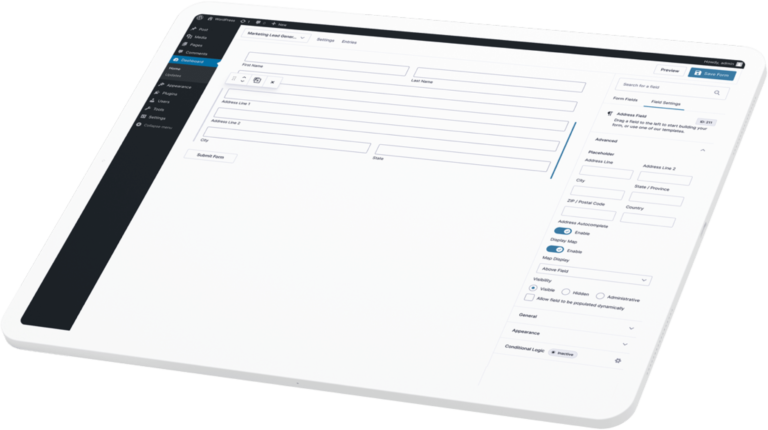
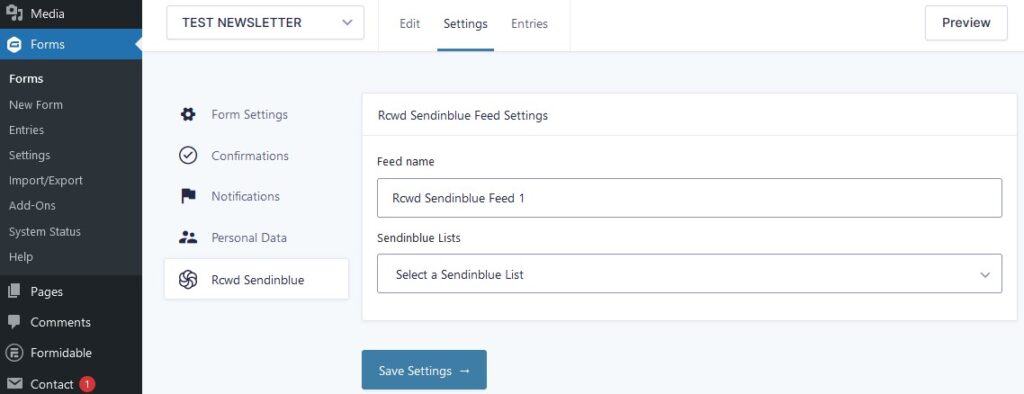
It allows to connect GF with a Sendinblue account and register the user to your mailing list after form is submitted.
Sendinblue is a cloud-based email marketing and communication platform that builds, sends and automates all your emails. Create and customize email templates to send personalized newsletter emails or 100% transactional emails.
Gravity Forms is a WordPress forms plugin that allows you to create advanced, professional-looking forms in minutes. It doesn’t matter if you’re a developer or just getting started with WordPress, you’ll be up and running in no time.
Add multiple feeds and manage them with conditional logic.
02
Field Mapping
Map your Sendinblue fields with any field of your form.
03
Double Opt-in *
Double Opt-In field support, with template selection and redirection type (WP page or custom link)
* only works with Sendinblue premium plans
04
Latest subscriptions and CSV export
Show latest subscriptions and export full log in CSV format.
05
Entry note
Useful info about the single user subscription here.
Installation
STEP 1
** Install the plugin **
Copy the ‘gravityforms-rcwdsendinblue‘ folder into your plugins folder;
Activate the plugin via the Plugins admin page.
STEP 2
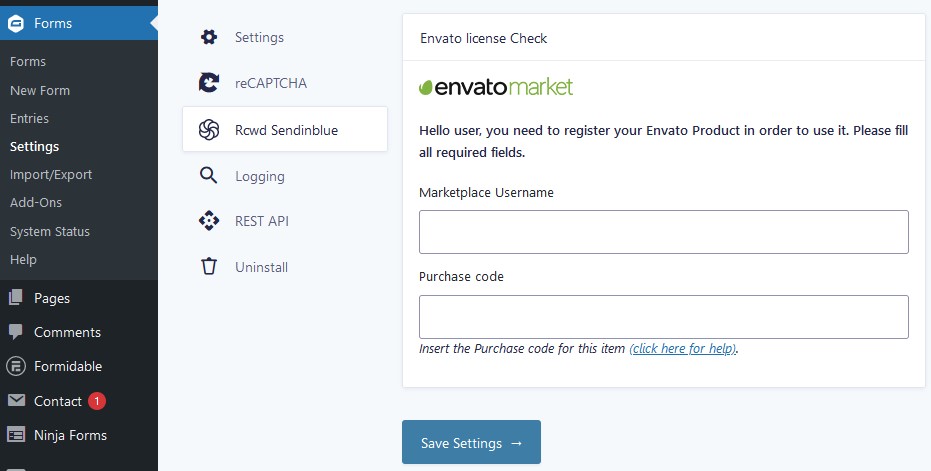
After the installation, you have to fill a form to verify the purchase: you will find a new submenu page in your FORMS > SETTINGS menu. Click on “Rcwd Sendinblue” and fill the fields (under each field you will find instructions on how to get the info you need).
STEP 3
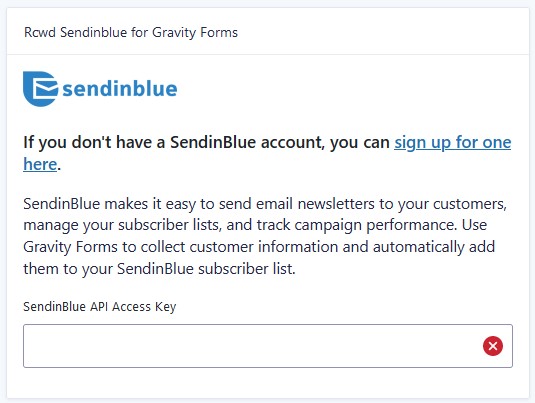
Now, a new field will appear, it is time to add your SENDINBLUE API key (instructions about generating a key here).
How to use
Create a form with at least an e-mail field, i also suggest to add a checkbox or consent field that the user need to check in order to be able to be added to your mailing list (this field will be used by the conditional logic inside the feed settings).
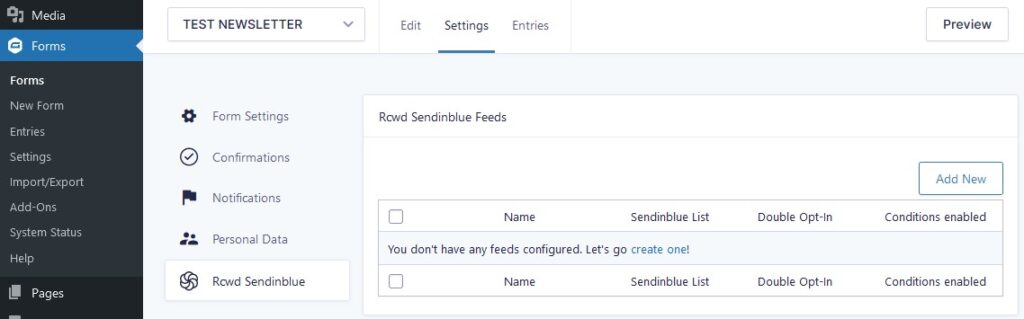
Go to your FORM > SETTINGS > Rcwd Sendinblue and create your first feed.
Add a Feed name (just for reference), select your Sendinblue list from the dropdown list and click on Save Button.
Now, new fields will appear, is up to you how to configure them.
I STRONGLY SUGGEST YOU to enable the opt-in condition field! (this field will be available only if you have a Sendinblue Premium Account).